




Skip to content

Cerebro03 / 06

Custom software

When Excel has nothing left to give.

03How it goes together in your business

Inside, everything in one place.

Appointments, orders, customers and payments in a panel built for your business. Not a generic one with your logo on top.

You will see it written on the sign.

Ad

Your businessBook

Ad

Your businessBook

Ad

Your businessBook

This week

+0 new clients

yYour businessDashboard · Today

Diary

  • 09:30Laura G. · Bookingpendingconfirmed
  • 10:15Pedro M. · Orderconfirmed
  • 11:00Ana R. · Appointmentconfirmed
  • 12:30Jorge P. · Orderconfirmed
  • 13:15Marta S. · Bookingconfirmed

Collected today

0 €

This week

280 clients on file

Booking confirmed
Invoice sent
Reminder
y
0posts186followers

Your business

@yourbusiness · See you in the neighbourhood.

Come and meet us.AayNew opening hoursYour business
yYour business

Come and meet us.

Book appointment
HorarioDirectionsOpiniones
y
0posts186followers

Your business

@yourbusiness · See you in the neighbourhood.

Come and meet us.AayNew opening hoursYour business
yYour business

Come and meet us.

Book appointment
HorarioDirectionsOpiniones

Live demo

Try it before you ask for it.

A sample dashboard with diary, orders, clients and payments. No sign-up and nobody calls you afterwards.

Open the demo

What Custom software includes

The problem

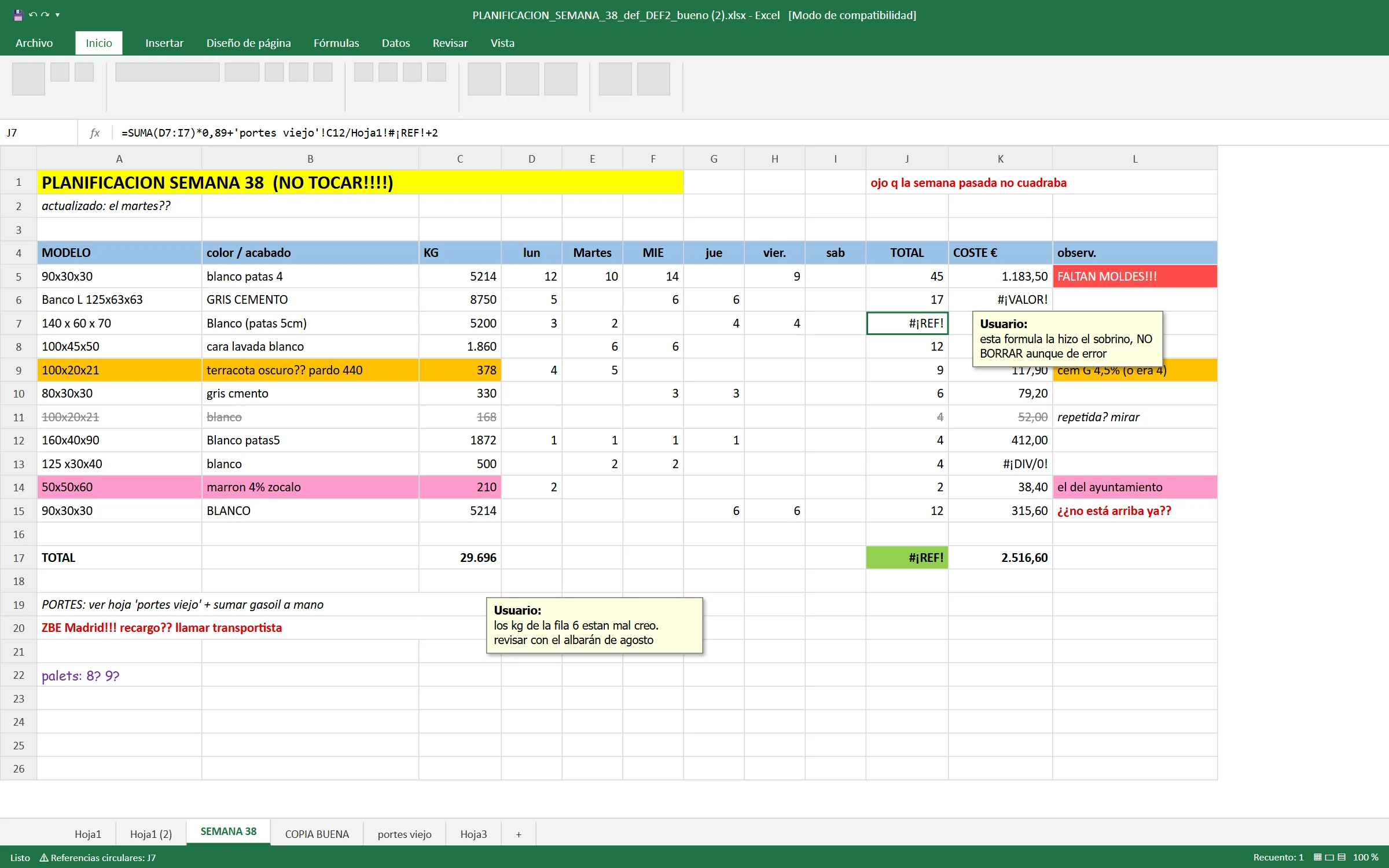
You run the business on an Excel only you understand. It isn't a system, it's a balancing act.

Real work

Software that is already used every day.

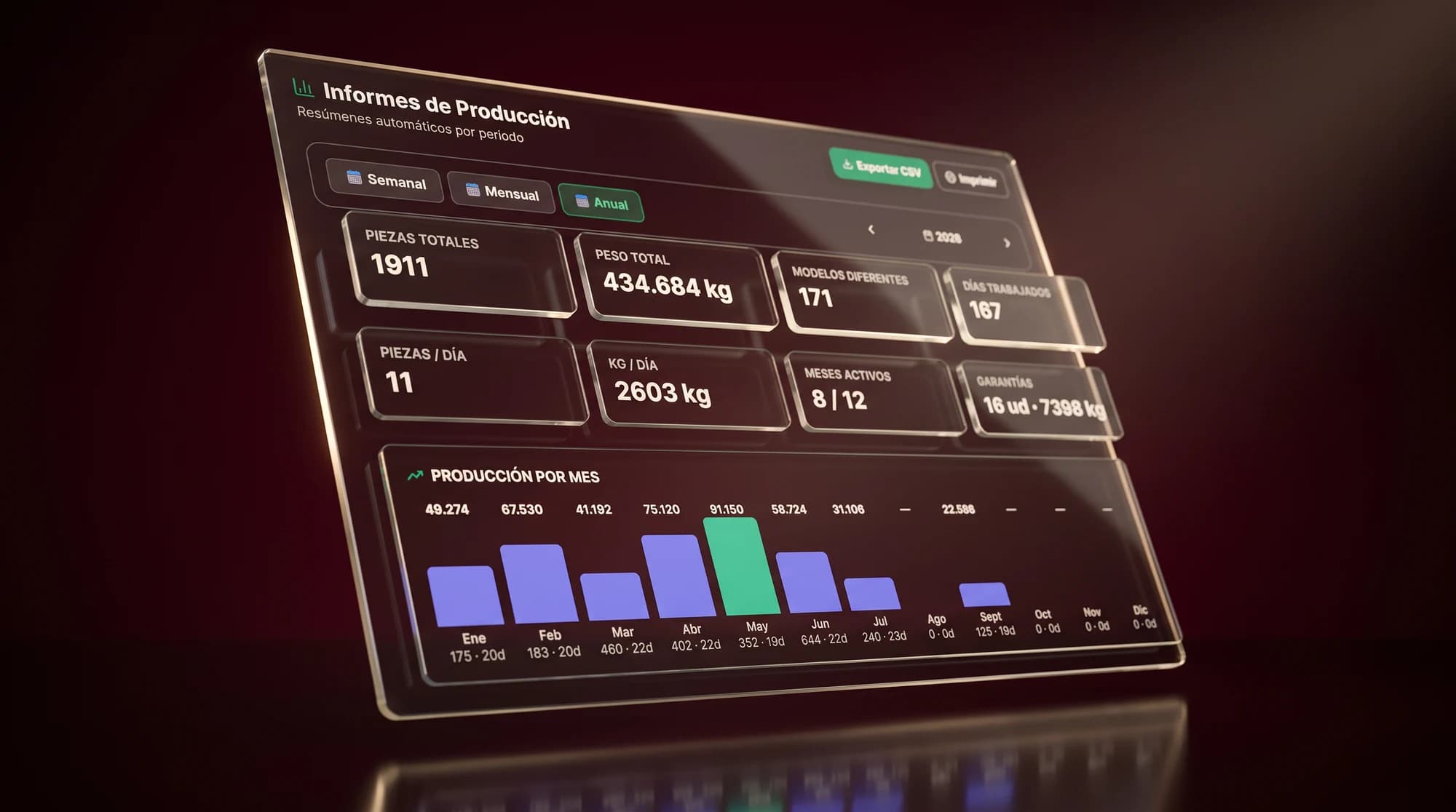
  • Glass panels floating on a burgundy background with the annual production report of Jardineras Meraki: 1,911 pieces, 434,684 kg and a bar chart by month.

    01 Jardineras Meraki

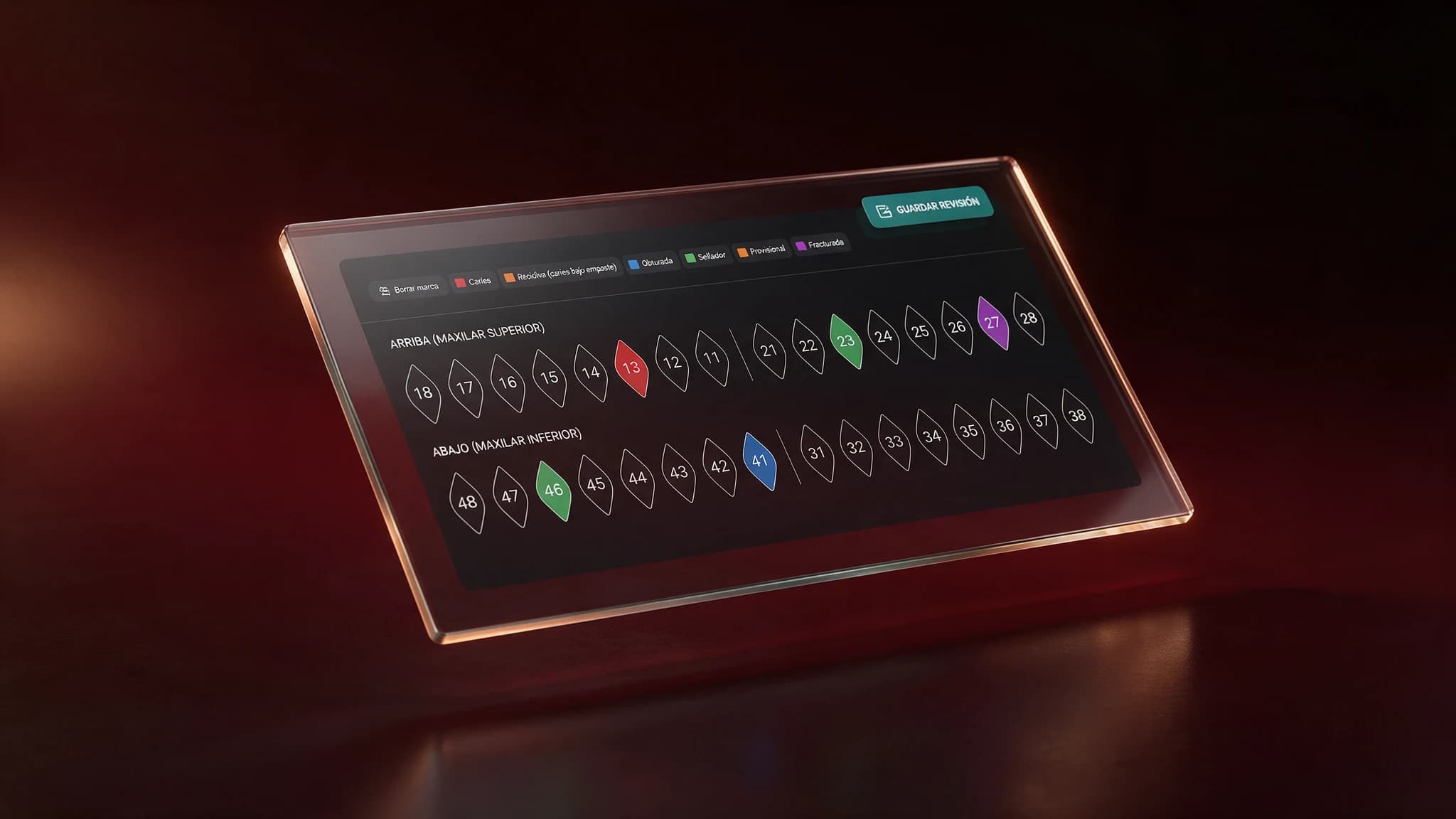
  • Glass panels floating on a burgundy background with the odontogram of the Soymca clinic: the 32 teeth numbered, with cavities, fillings, sealants and fractures marked by colour.

    02 Soymca, dental clinic

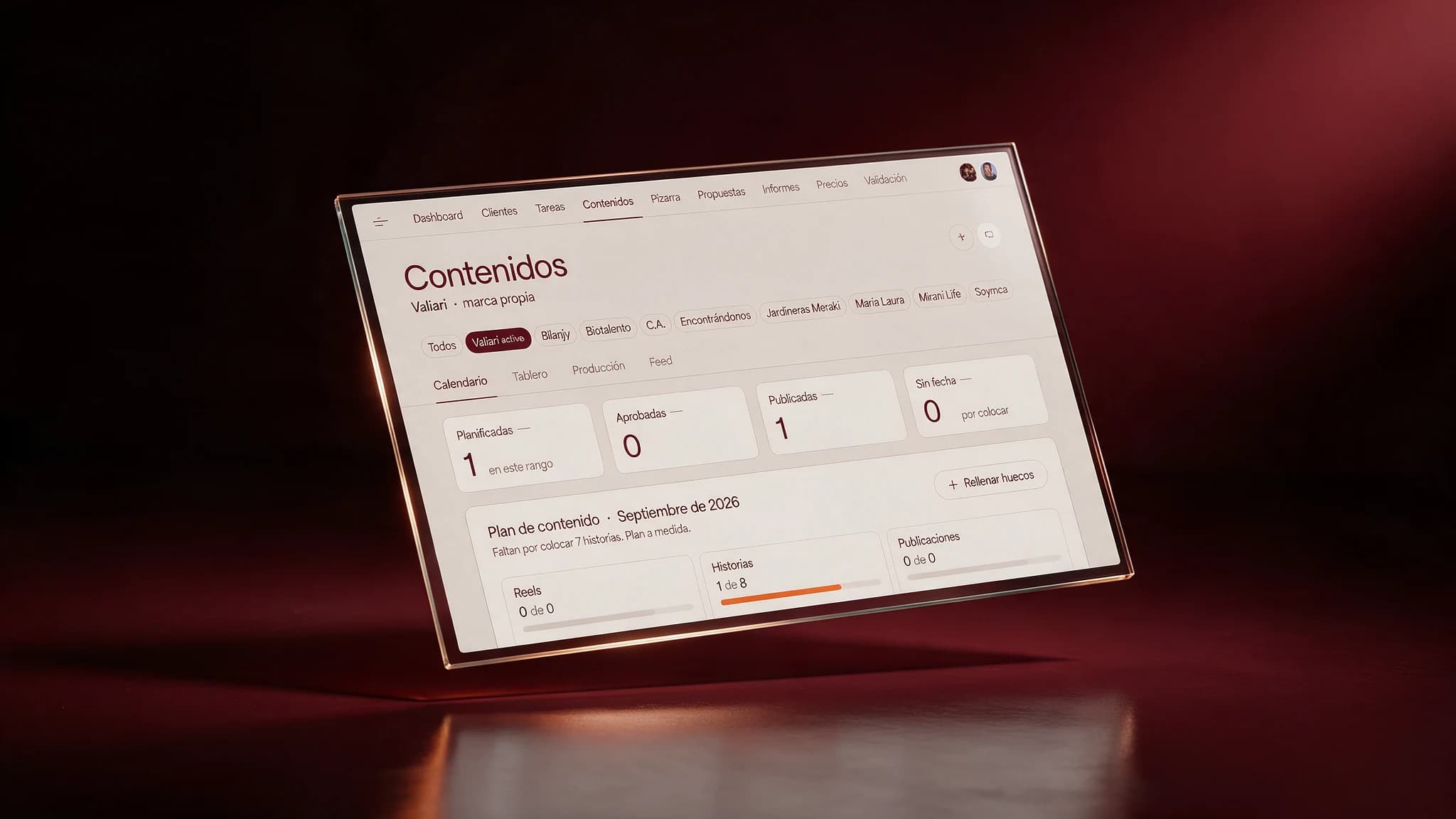
  • Glass panels floating on a burgundy background with the Valiari content console: clients, the month's calendar and the progress of reels, stories and posts.

    03 Valiari, software propio

How it looks

Each person logs in and sees only what is theirs.

Sees everything, and who did what.

Try it yourself, no sign-up
01

A case

VALIARI / SELECTION

Jardineras Meraki

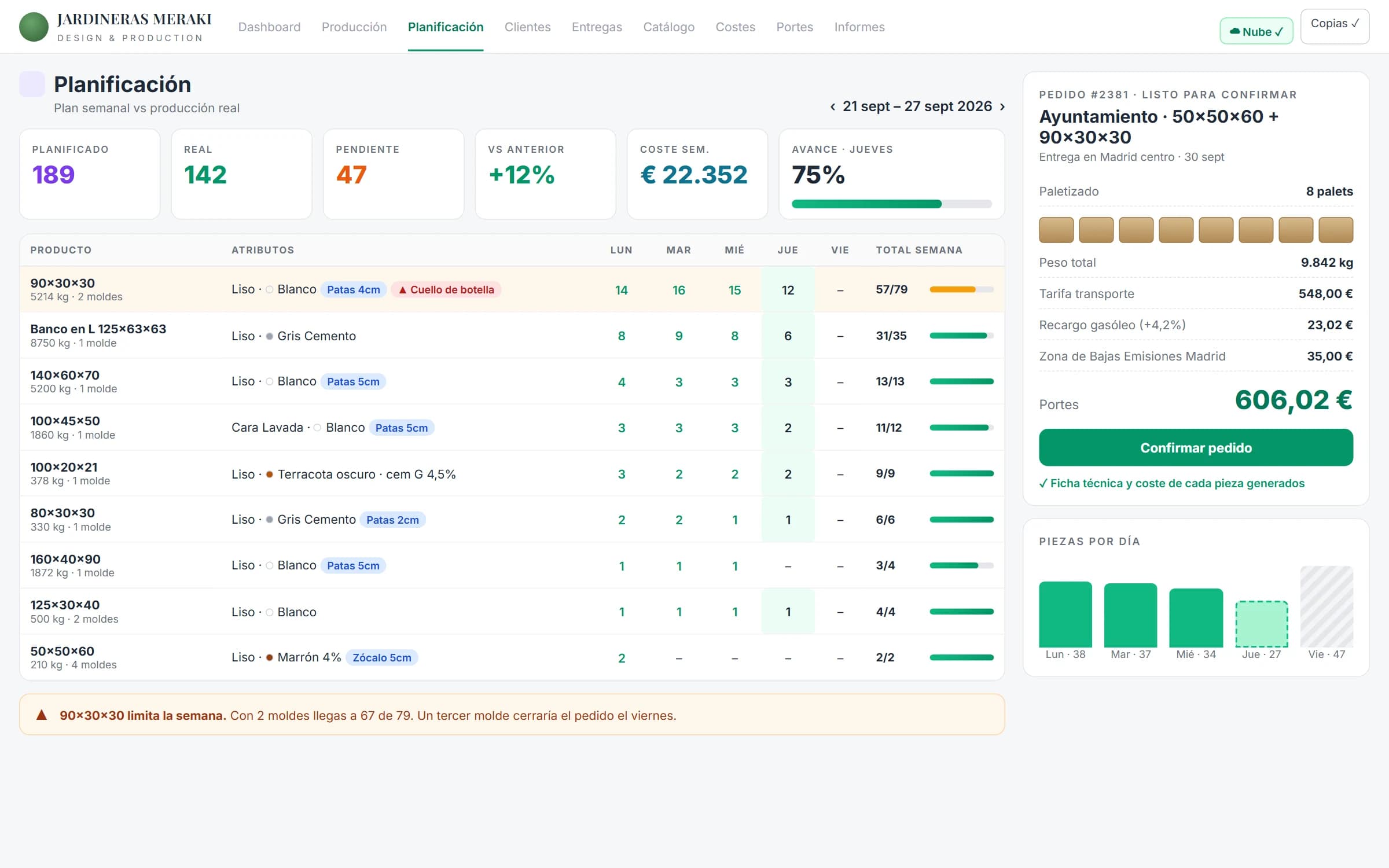
Recreation of the Planning screen of the Meraki app with a week under way: 142 of 189 pieces made, progress per planter, a warning that moulds are missing and an order ready to confirm with 8 pallets and the freight worked out, diesel and Low Emission Zone included.
Recreation of the old spreadsheet: a weekly plan in Excel with hand-coloured cells, repeated rows, #REF! errors and notes such as "DO NOT TOUCH" or "call haulier".
BeforeAfter

Drag to reveal the change

Fewer spreadsheets. More time to create.

16 hsaved every week

How we measured it

The owner of Jardineras Meraki's own estimate, comparing the hours it took him each week to work out spec sheets, costs and shipping by hand with the time it takes him now with the app. Measured in September 2026.

From calculation to control

Selected work
The brief

Every made-to-measure planter had its spec sheet and cost worked out by hand, and every order, the palletising and the transport rate separately.

  • Internal app that produces the spec sheet and the cost of each made-to-measure planter, all kept in one place
  • Automatic calculation of palletising and transport cost (fuel surcharge and Low Emission Zone included), ready before the order is confirmed

Cerebro · Custom software

Is this your line?

A good fit if

  • You have your own process that no program on the market does the way you need it
  • You pay for several tools that don't talk to each other and copy data by hand from one to another

Maybe not yet if

  • What you need is already solved by a standard program that costs little a month

How we work

6 semanas to get started, then up and running.

  1. First useful version

    4 a 6 semanas

    You already use it to work

    We build the minimum that already works for you and you put it to use. You don't wait months to see something.

  2. Assessment

    1 week

    We sit down and see how you work today, step by step. Half the value is here, because processes that are not needed almost always turn up.

  3. Prototype

    1 week

    You see the screens before anything is programmed

    We show you the main screens before programming anything. Changing a drawing takes minutes, changing code takes days.

  4. Adjustment with real use

    continuo

    You use it, things appear that only show up in use, and we fix them. This phase is what separates a living system from an abandoned one.

It is one of the first lines we recommend to estate agencies, law firms and construction.

Frequently asked questions

How much does it cost?

It is the line with the most variation, because it depends entirely on what has to be built. That is why we always start with the free assessment, and only then talk numbers.

What if we stop working together one day?

The code and the data are yours and we hand them over documented. Another team can carry on without starting from scratch.

How long until it is up and running?

The first useful version is usually between the sixth and eighth week. We don't hand over the whole system at once at the end, you put it to use in parts.

Can we start with something small?

It's what we recommend. One process, the one that hurts most, and from there we grow if it makes sense.

The other five lines

The next step

When Excel has nothing left to give.

Let's start there.

The first call is free and with no obligation. You tell us what you need and we tell you where we would start.

No middlemen. You talk to whoever does the work. Or write to us at contact@valiari.com.